Course Trailer

Start learning now
One time purchase; lifetime access.
Do you already have an account?
Log in with your existing VFXstudy account to continue straight to checkout.
Create a new account after checkout
A new account will be created based on the email address entered during checkout.
Get the complete Certification Bundle
Learn all areas of DaVinci Resolve and get all 5 courses (Value: $413) in one bundle: Basics, Color, Fairlight, Fusion, and Advanced Fusion.
Do you already have an account?
Log in with your existing VFXstudy account to continue straight to checkout.
Create a new account after checkout
A new account will be created based on the email address entered during checkout.
3D Compositing in Fusion
From Card Projections to Universal Scene Description: Build on your fundamentals and explore advanced 3D Compositing Techniques in DaVinci Resolve Fusion
Card Projections
Turn Photos and 2D Elements into 3D
Particles
Create Atmospheric effects with 3D Particles
Universal Scene Description
Learn the basics of Universal Scene Description and start photorealistic compositing with prebuilt models.
This Course Offers
Topics Overview
Creating a 3D Scene with Card Projection
Start with a 2.5D card projection setup, using flat image elements arranged in Fusion’s 3D space to create a sense of depth and parallax. This chapter introduces or revisits key 3D fundamentals, including image planes, Merge 3D nodes, cameras, lights, coordinate space, and renderer settings. You will also work with 3D text, materials, lighting, camera animation, focal length, and depth of field. If you are new to 3D, then this lesson serves as a gentle introduction and explains each concept. If you have not used Fusion for a while, this lesson also serves as a great refresher as you enter this course.
Green Screen Compositing with 3D Projection
Revisit green screen compositing in a more advanced context, using multiple Delta Keyers for an enhanced matte. The chapter covers preparation steps, such as noise reduction for improved keying, advanced options for combining multiple keys to address different issues, and a new technique that combines an adaptive despill with a light wrap. At the end, you composite the image together with a fake windshield reflection that we create through a 3D projection onto a curved surface.
Dry for Wet Conversion with Particles
Transform a sunny exterior shot into a stormy rain scene using a combination of sky replacement, tracked 3D setup, particle rain, reflections, masks, and color corrections. This chapter uses Fusion’s 3D system to place elements in the scene, while also showing how 2D compositing decisions affect the final result: blending the new sky, creating believable wet surfaces, controlling reflections, and shaping the overall mood with color. The bonus section expands on the technical groundwork behind the shot, showing how to approach the camera track and build more accurate masks using a mix of tracking, polygons, Magic Mask, and manual refinement.
3D Camera Tracking and Advanced work with Point Clouds
Take a detailed look at the iterative process of 3D camera tracking and how we can tune it to obtain reliable spatial information in the scene in the locations where we need it. You will learn how to evaluate individual tracking points, orient the scene for your purposes, mark specific regions for later compositing, and place 3D objects for compositing. The exercise is designed to make 3D tracking less of a black box and more of a practical compositing tool.
Universal Scene Description
Get an introduction to Universal Scene Description inside DaVinci Resolve Fusion and learn how USD fits into a modern 3D workflow. This chapter covers loading USD assets, applying textures and materials, working with USD cameras, lights, merge nodes, and the USD renderer, and understanding some of the current limitations of the workflow. The exercise uses a dragon asset to explore practical topics, including lighting, animation, render settings, auxiliary channels, depth-based fog, and alpha handling. It also shows how standard Fusion 3D elements can integrate with USD workflows, providing a useful first step into a technology that is becoming increasingly important for 3D collaboration and scene exchange.
DaVinci Resolve 21

This Course was developed in DaVinci Resolve 20 and 21 and is up to date for both versions.
Studio Version of DaVinci Resolve
This course repeatedly uses the Magic Mask and 3D Camera tracking, which require the Studio Version of DaVinci Resolve. However, if you wish to follow along with the free version, you can use pre-computed 3D Camera objects and prerendered versions of the Magic Mask provided in the exercise package.
Should I take this Course?
This course is ideal for you if you:
Prerequisites: You should have a general understanding of Fusion and node-based compositing before you start this course. The first lesson will serve as a great refresher if you haven’t used Fusion in a while. If you are starting from scratch, you might prefer to start with the course Fusion Visual Effects with DaVinci Resolve.

A German language version of this course is in preparation and will soon be released on Tutorial Experts.
Blackmagic Design Certified Training
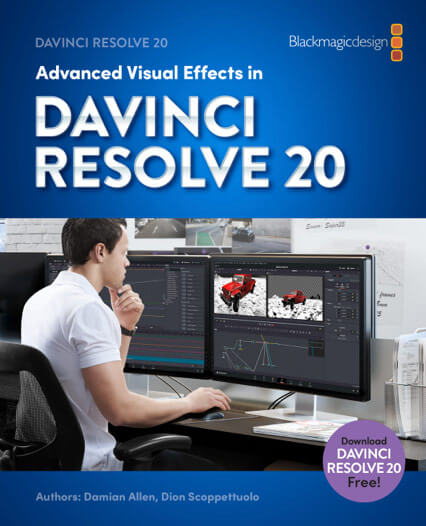
This course follows the official Blackmagic Design Certification Program for Advanced Visual Effects in DaVinci Resolve and is supplemented with additional exercises and video explanations.
It is equivalent to a two-day classroom training, taught by certified trainers in training centers worldwide.
Blackmagic Design offers the book Advanced Visual Effects in DaVinci Resolve 20 as a free PDF on the DaVinci Resolve Training site, where you can also find a free online exam to test your knowledge after you complete this course.
VFXstudy is an official training partner of Blackmagic Design.

Start from the Beginning?
If you want to learn DaVinci Resolve from the ground up, you can follow the Certification training from the beginning with the DaVinci Resolve Basics Training.
Further Questions
If you have more questions about the course, feel free to reach out to me at [email protected].
