Course Trailer

Start learning now
One time purchase; lifetime access.
Do you already have an account?
Log in with your existing VFXstudy account to continue straight to checkout.
Create a new account after checkout
A new account will be created based on the email address entered during checkout.
Get the complete Certification Bundle
Learn all areas of DaVinci Resolve and get all 5 courses (Value: $413) in one bundle: Basics, Color, Fairlight, Fusion, and Advanced Fusion.
Do you already have an account?
Log in with your existing VFXstudy account to continue straight to checkout.
Create a new account after checkout
A new account will be created based on the email address entered during checkout.
Titles, Lower Thirds, Credit Rolls, and Image-based Graphics with Advanced Animation Control
Split Screen, Sky Replacement, Paint Fixes, Tracking, and Green Screen
3D Graphics, Particles, and 3D Set Extension with Camera Tracking
This Course Offers
DaVinci Resolve 21

I started this course with DaVinci Resolve 17, but have kept it up to date to include new features in DaVinci Resolve and updates to the Blackmagic Design training curriculum. Older superseded lessons are still available as bonus lessons for additional practice. They are still working fine in the latest versions of DaVinci Resolve and are still valuable! You do not need to work with the latest version of DaVinci Resolve, and I generally don’t recommend learning on beta releases.
Free Version of DaVinci Resolve
All main parts of this course can be done with the free version of DaVinci Resolve, except for the 3D Camera Tracking in Lesson 12. In addition, some lessons include further Studio features (Magic Mask, IntelliTrack, ResolveFX) but can still be completed with the free version.

This course is also available in German via Tutorial Experts.
All my German language courses and seminars are available here.
Chapter Summaries
Quick Start
Understand the Fusion interface and use basic compositing operations with Merges, Masks, Color corrections, and Effects to get started.
Part I – Titling and Motion Graphics
Bild great text and image based animations and control them with different animation techniques with Splines, Keyframes, Expressions, and Modifiers.
Part II: Visual Effects Creation
Perform some of the most common tasks in VFX: Split Screen composites, Sky replacement, Paint fixes, Screen Replacements, and green screen keying.
Part III: 3D Compositing
Create a 3D broadcast graphic with textures and light effects, create steam with Fusion particles, and do a 3D set extension with 3D camera tracking.
Part IV: Bonus – New Fusion Features
Work with Audio Support, Shape Tools, and the Anim Curves modifier. Learn about the Referenced Fusion Composition and take a first look at Universal Scene Description.
Should I take this Course?
This course is ideal for you if you:
Prerequisites: You should have basic skills with DaVinci Resolve. You know how to open and save projects, work with timelines and media in the Media bin, you can perform basic editing tasks, and render your timelines.
Blackmagic Design Certified Training
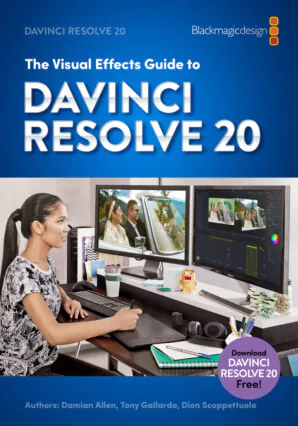
This course follows the official Blackmagic Design Certification Program for Fusion and is supplemented with additional exercises and video explanations.
It is equivalent to a three-day classroom training as it is taught by certified trainers in training centers worldwide.
Blackmagic Design offers the book The Visual Effects Guide to DaVinci Resolve 20 as a free PDF on the DaVinci Resolve Training site, where you can also find a free online exam to test your knowledge after you complete this course.
VFXstudy is an official training partner of Blackmagic Design.

Start from the Beginning?
If you want to learn DaVinci Resolve from the ground up, you can follow the Certification training from the beginning with the DaVinci Resolve Basics Training.
Further Questions
If you have any further questions, please contact me at [email protected].