Here is a small collection of Fusion macros and scripts that I have built for my own work or used in tutorials.
Right now, they are provided as-is, with only minimal instructions, no fancy installers, no help documents, and no guarantee that they will work for you. But they are free, so…
…use them as you see fit. Please don’t repost the files directly; if you want to share them, direct others to this page instead.
Macros
Installation
Drag the .setting file into the Fusion flow for testing.
If you want to keep the macro, copy the .setting file (and the .png icon) into your Fusion Macro folder.
You can find this folder by right-clicking the Macros category in the Fusion Effects Library: Effects → Tools → Macros
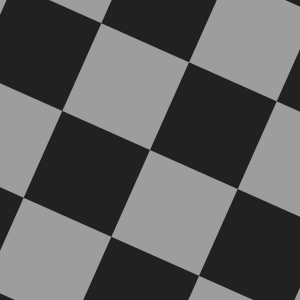
Checkerboard Tool
Create a custom checkerboard texture. Colors, opacity, scale, and aspect ratio can all be configured. This is useful for testing tracking results.

LumaMix for Fusion
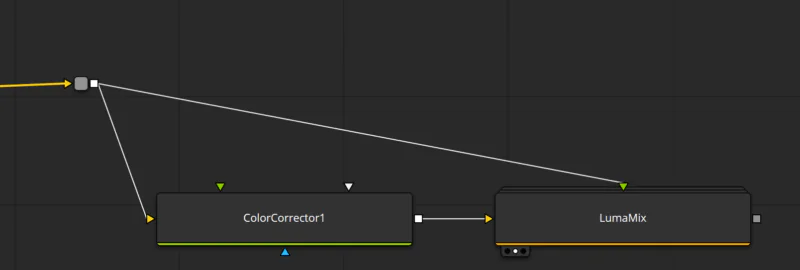
Restore the luminance after any color operation. This was inspired by the Luma Mix control in the Color page. I find this particularly useful for despill. Just use any despill algorithm you like and simply dial back the luminance if the image gets too dark.
To restore the luminance, add the LumaMix tool after your color correction or despill operation and connect the original image to the foreground.
Scripts
Installation
Copy the .lua or .py scripts into your Fusion Scripts folder.
To find this folder, first locate the Macro folder as described above. Then go one level up in your file browser and open the Scripts folder.
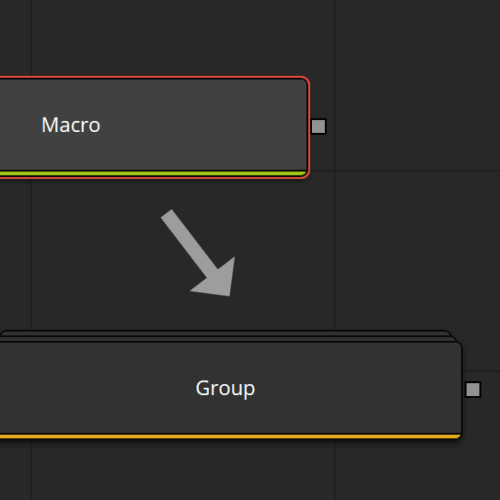
Macro to Group Conversion
Change any macro into a group or a group into a macro. Install this script in Scripts/Tools to make it available in the right-click → Script menu for any macro or group that you want to convert with 2 clicks.
